Hi Guys,
If you suspect that your hacker friend is secretly using your Google account (which can range from YouTube to a large number of different services by Google) without your knowledge, then you've come to the right article.
The easiest way to secure your Google account is to log out from every logged in location and changing your password to a new one.
If anyone's getting confused, GMail Account is equivalent to Google Account.
STAGE 1 - How to remotely log out of Google?
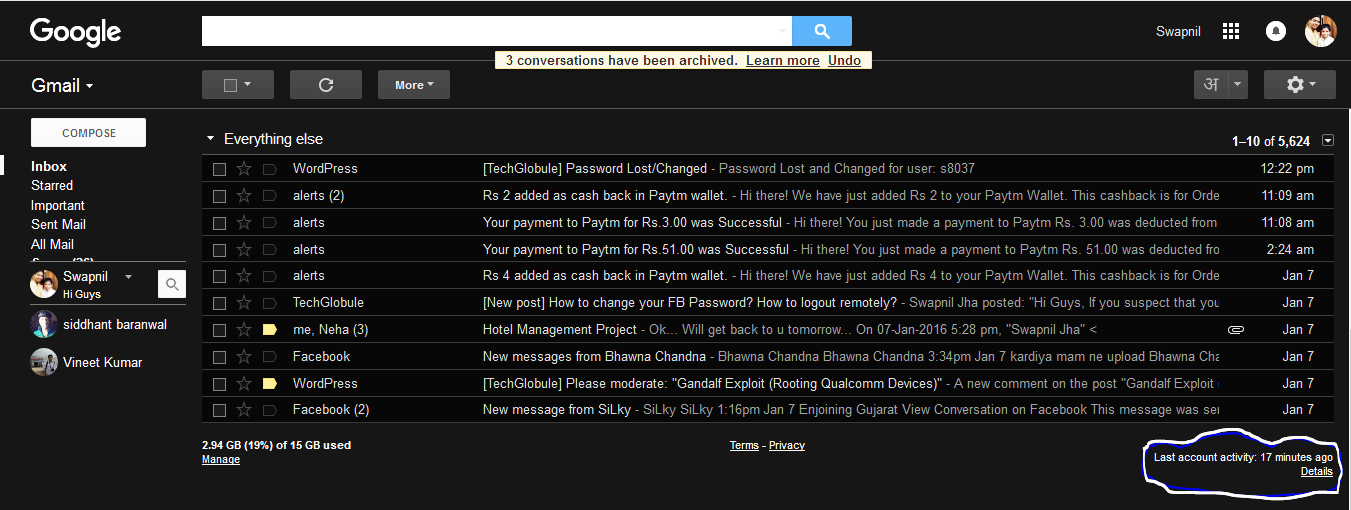
- Log in to your Google Account on mail.google.com.
- Scroll down the page.
[caption id="attachment_1548" align="aligncenter" width="1351"]
 Details[/caption]
 - Click on Details near below Last Account Activity.
[caption id="attachment_1545" align="aligncenter" width="758"]
 Remote Logout[/caption]
 - A new window will open with a button of Sign out all other web session. Click on it.
- Congratulations, you have successfully remotely logged out of Facebook from every place you forgot to log out earlier.

STAGE 2 - How to change my Google Password?
- Log in to your Google Account on mail.google.com.
[caption id="attachment_1547" align="aligncenter" width="1350"]
 GMail Settings[/caption]
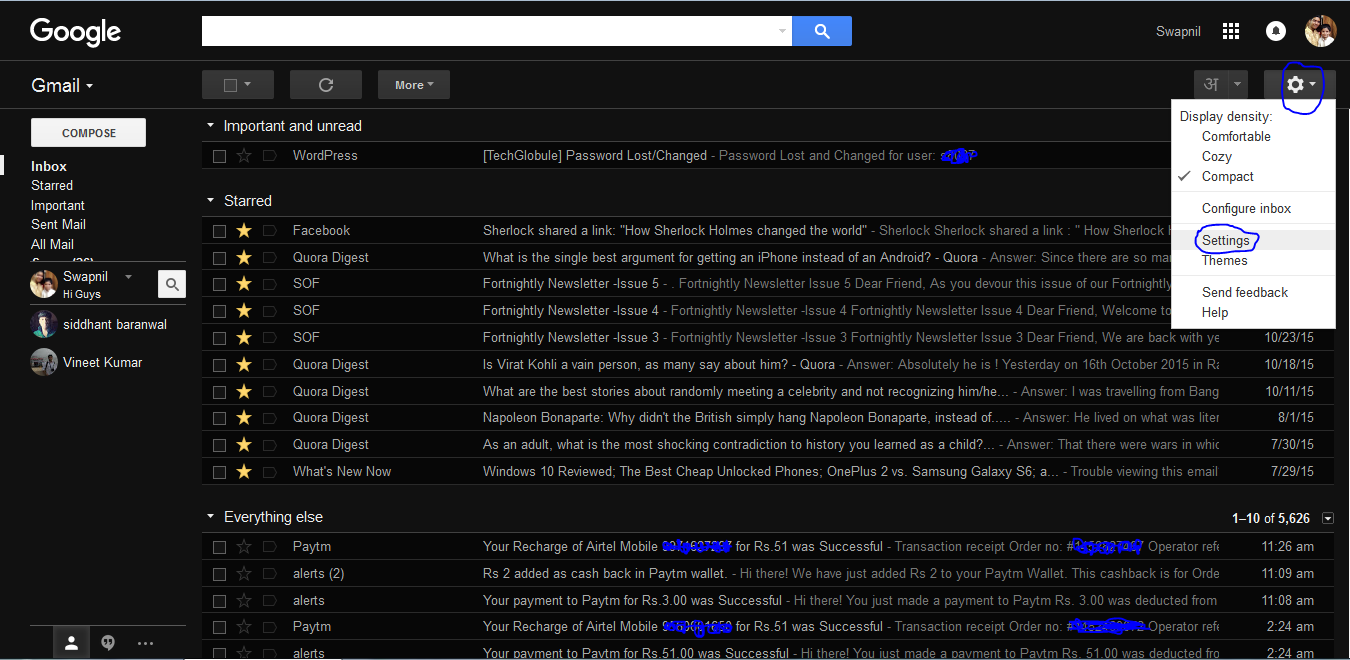
 - Click on the Gear icon to reveal a menu.
- Go to Settings.
[caption id="attachment_1549" align="aligncenter" width="1330"]
 Change Pass[/caption]
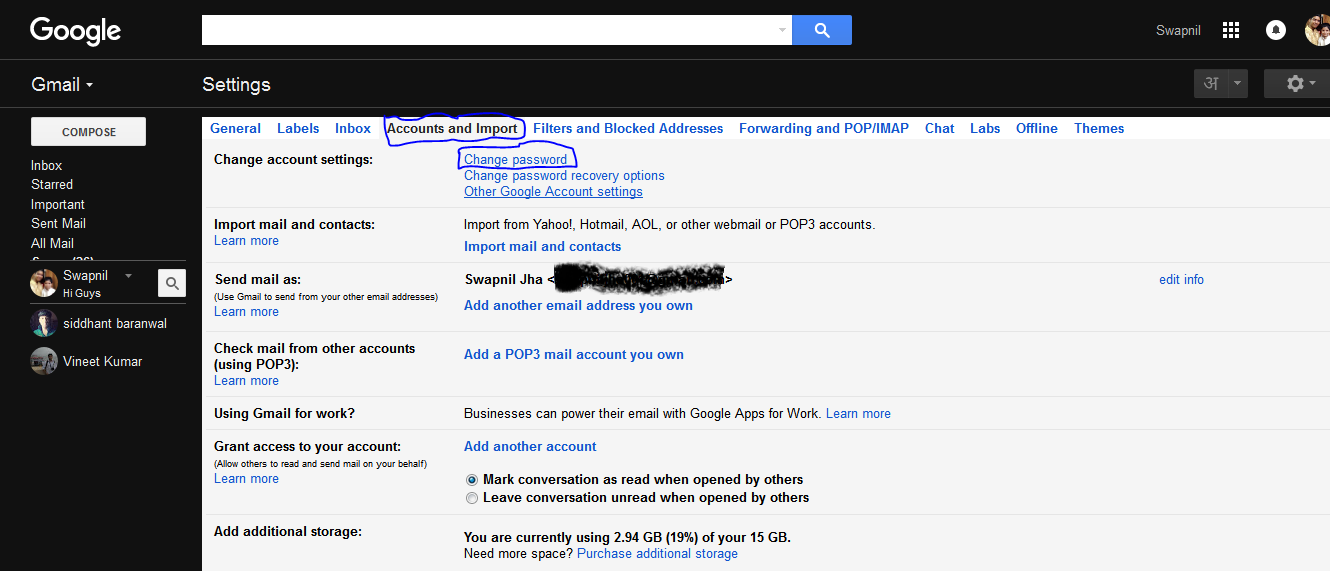
 - Go to Account and Import tab > Change Password.
[caption id="attachment_1544" align="aligncenter" width="195"]
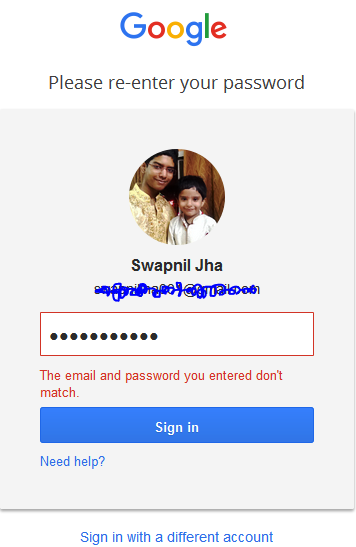
 Google Login[/caption]
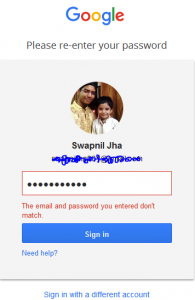
 - You will redirect to a page asking you to login again. (This is a just a security measure, nothing to worry about)
[caption id="attachment_1546" align="aligncenter" width="1350"]
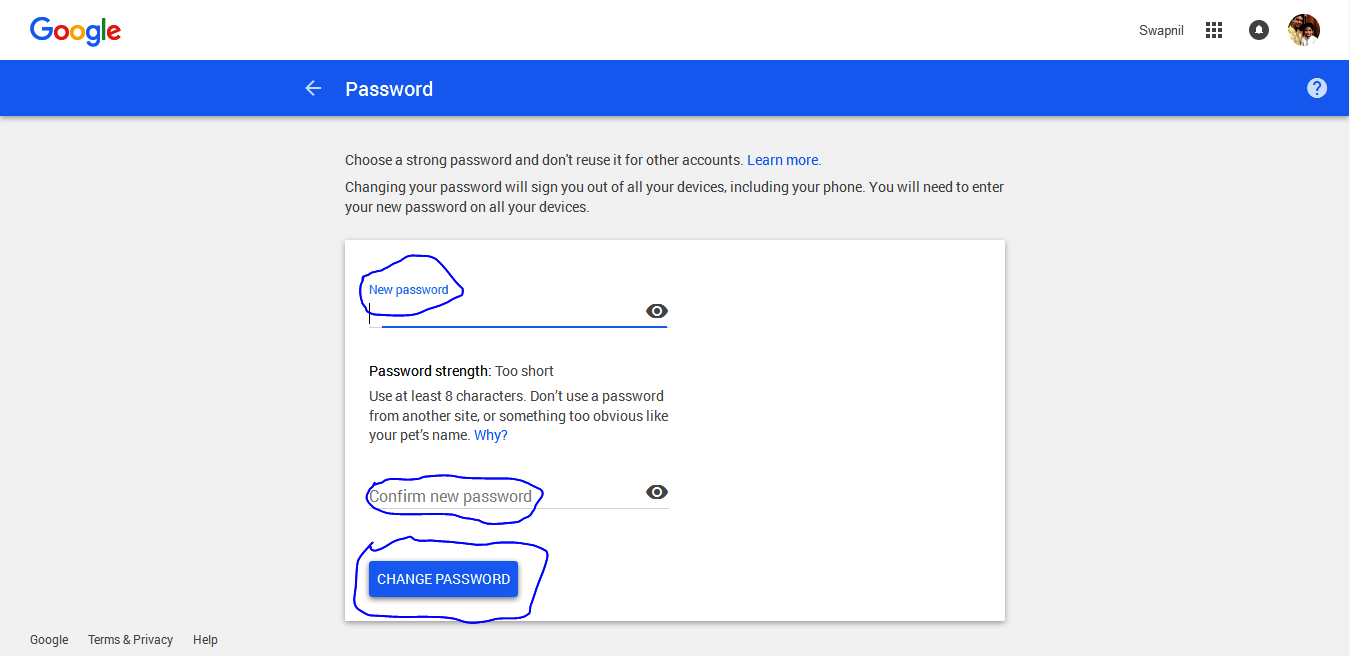 New Password[/caption]
 - You will this page. Just type in your new password in both the columns. Click on Save Password.
- Follow us on Google+.
- Do give us feedback in comments below.
Note - These tasks can be accomplished from mobile devices as well, following the similar steps.
Comments
Comments imported from the original Tech Globule site. New comments are not enabled.
Ravi Prakash
Swapnil Jha